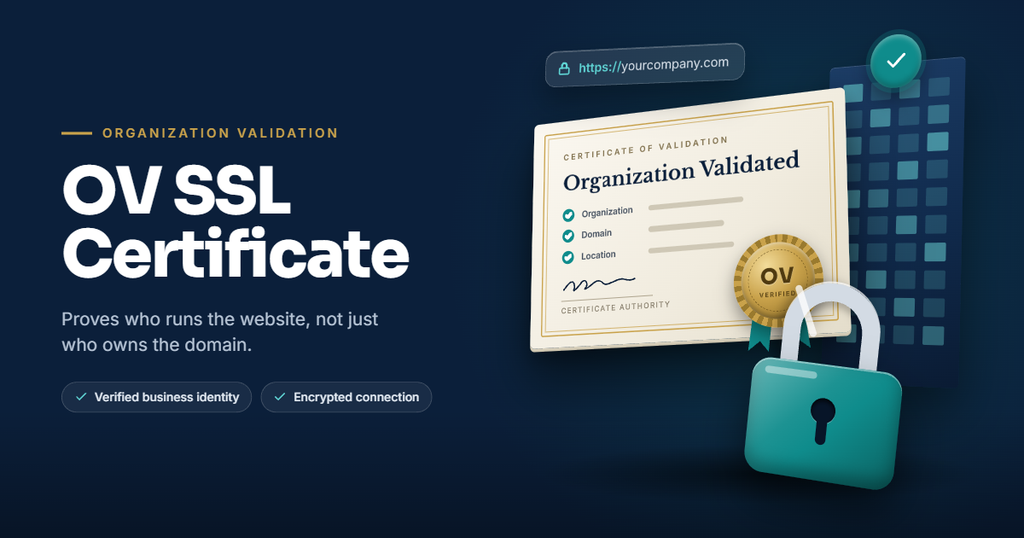
An Organisation Validated (OV) certificate shows visitors that a real, registered business stands behind your website. Before a certificate authority (CA) can issue one, it must complete OV SSL validation to confirm who you are.
However, that’s where many businesses get stuck. For example, a small mismatch in your company name or an unlisted phone number can hold things up for days. This guide explains what OV SSL validation checks, what to have ready, and how FastSSLArena speeds up approval.
What is OV SSL validation?
OV SSL validation is the process a CA follows to confirm that your organisation legally exists and controls the domain on the certificate. Once the CA approves you, your verified company name and location appear in the certificate details.
It sits between basic DV and the stricter EV level. For a full comparison, read our guide to DV, OV and EV. In addition, the checks follow rules from the CA/Browser Forum, so every trusted CA works to the same standard.
What the CA checks during OV validation
- Your organisation’s legal existence. First, the CA confirms that your business exists and is active, usually by checking an official government registry. In South Africa, that’s the CIPC.
- Your physical address. Next, the CA confirms that your business operates at the address you provide.
- Your phone number. The CA also looks up your number in a trusted, independent source instead of relying on the one you submit.
- Domain control. Then you prove you control the domain, just as you would for a DV certificate.
- The requester’s authority. Finally, the CA may call your verified number to confirm that the order is genuine.
Your OV validation checklist
Have these ready before you order, so OV SSL validation moves much faster.
| What you need | What it means | Tip |
| Registered legal name | Your company’s exact name on the registry | Match it exactly, including “(Pty) Ltd” |
| Registration number | Your company registration number | Keep your CIPC details handy |
| Physical business address | A street address where you operate | Most CAs won’t accept a PO box alone |
| Publicly listed phone number | A number that appears in a trusted directory | Make sure your listings are current |
| Domain access | Access to your domain’s email, DNS or web server | DNS validation is often quickest |
| An authorised contact | Someone who can confirm the order | Make sure they’re available to take a call |
| A CSR | Your Certificate Signing Request | Use your legal name and correct location |
| CAA record check | A DNS setting that limits which CAs can issue for your domain | If you have one, make sure it allows your chosen CA |
Documents the CA may ask for
If the CA can’t verify your details through public databases, it may ask for supporting documents, such as:
- Your company registration certificate from the CIPC or your country’s registry.
- A signed letter from your attorney or accountant confirming your business details.
- A recent document showing your business address, if the CA can’t verify it elsewhere.
However, requirements vary by CA, so your provider will confirm exactly what you need.
How the OV validation process works
- Place your order. First, choose your OV certificate and brand.
- Submit your CSR and details. Next, provide your CSR, legal company name, address and contact information.
- Complete domain validation. Then confirm domain control by email, DNS record or file upload.
- Organisation checks. After that, the CA verifies your company in official registries and trusted directories.
- Verification call. The CA may also call your listed phone number to confirm the request.
- Certificate issued. Finally, once everything checks out, the CA issues your certificate and you can install it.
As long as your details are in order, the whole process typically takes one to three business days.
Common reasons OV validation gets delayed
| Problem | How to fix it |
| Company name doesn’t match the registry | Use your exact registered name, including punctuation and suffixes |
| Phone number missing from public directories | Update or create a listing in a trusted business directory |
| Registry shows an old address | Update your details with the CIPC or your country’s registry |
| Domain validation email goes unanswered | Use DNS validation instead, or check that the admin mailbox works |
| Contact misses the verification call | Tell your contact to expect the call and keep the line open |
| CAA record blocks the CA | Update your DNS to authorise your chosen CA |
Tips to speed up OV validation
- Check your registry details first. First, make sure your name and address are current before ordering.
- Add your business to a trusted directory. For example, a Dun & Bradstreet D-U-N-S number is a widely used option.
- Use DNS validation. As a result, you won’t wait on email replies.
- Brief your team. Let your receptionist or contact person know to expect a verification call.
- Secure your site in the meantime. Meanwhile, a DV certificate can protect your site while OV SSL validation runs.
Will you need to do this every time you renew?
Not always. CAs can reuse your verified organisation details for a limited period, so renewals are often quicker. However, CAs recheck domain control more often. If your company name, address or phone number changes, expect a full re-check. Our SSL renewal guide covers the rest.
Also, before you buy, our buyer’s guide covers the other factors worth weighing.
Frequently asked questions
How long does OV validation take?
Typically one to three business days, provided your details are accurate and your contact is reachable.
Can a sole proprietor get an OV certificate?
Sometimes. The CA must be able to verify the business through official or trusted sources. So check with your provider before ordering.
What if my business isn’t listed in online directories?
In that case, the CA may accept supporting documents, such as a registration certificate or a letter from your attorney or accountant.
Can I use my trading name on an OV certificate?
Some CAs allow a trading name alongside your legal name, as long as they can verify it. However, your legal name must always appear too.
Do I need to repeat OV validation at renewal?
Not always. CAs can reuse verified organisation details for a set period, but they check domain control again.
How FastSSLArena helps with OV SSL validation
OV SSL validation doesn’t have to be a guessing game. FastSSLArena helps you prepare, submit and pass validation without the back-and-forth.
- A clear checklist. We tell you exactly what you’ll need before you order, so there are no surprises.
- Detail checks upfront. We also help you spot name, address or phone mismatches before they cause delays.
- Built-in CSR tool. Generate an accurate CSR with your correct company details in a few clicks.
- Validation support. In addition, we guide you through each step and help resolve any queries from the CA.
- Fast DV while you wait. Secure your site within minutes while the CA validates your OV certificate.
- Trusted brands, discounted prices. Choose OV certificates from DigiCert, Sectigo, Thawte and GeoTrust at competitive rates.
Pass validation, earn trust and get on with business.
Order your OV certificate at FastSSLArena today.