Installing an SSL certificate isn’t a one-time job. Like a car, it needs regular check-ups, and SSL certificate renewal is the big one. Skip it, and you risk browser warnings, lost customers and an expired SSL certificate at the worst possible moment.
This guide covers everything you need to know about SSL certificate renewal and maintenance, plus a simple checklist to keep your site secure all year. We’ll also show you how FastSSLArena takes on the heavy lifting, so you can focus on running your business instead of chasing expiry dates.
Why SSL maintenance matters more than ever
Many businesses treat SSL as “set and forget”. That approach no longer works.
Industry rules set by the CA/Browser Forum are steadily shortening certificate lifespans. The maximum dropped to 200 days in March 2026, and it’s set to fall to 100 days in 2027 and 47 days by 2029. As a result, you’ll renew more often, and every renewal is a chance for something to slip. At 47 days, each certificate will need renewing roughly eight times a year. Multiply that by every domain you own, and SSL quickly becomes a part-time job.
Good maintenance also goes beyond renewal dates. Outdated settings, broken certificate chains or an exposed private key can weaken your security, even when your certificate is still valid.
The hidden workload behind SSL renewals
On paper, renewing a certificate sounds simple. In practice, each renewal involves several moving parts:
- Tracking expiry dates across every domain, subdomain and server.
- Generating a new CSR and private key, then storing that key safely.
- Completing validation, which can mean chasing company documents for OV and EV.
- Installing the new certificate everywhere the old one lived.
- Testing that the padlock, certificate chain and settings all work.
Miss one step, and customers see a security warning. For a small team with no dedicated IT person, that pressure adds up fast. This is exactly where FastSSLArena steps in.
What SSL maintenance involves
- Tracking expiry dates – Know when every certificate expires, across every domain and server.
- Checking your configuration – Make sure your server uses modern protocols, such as TLS 1.2 and TLS 1.3, and has older, weaker versions switched off.
- Verifying the certificate chain – Missing intermediate certificates can trigger warnings on some devices.
- Fixing mixed content – Images, scripts or files loading over http can break the padlock, even with a valid certificate.
- Protecting private keys – Store keys securely and limit who can access them.
- Acting fast on problems – If a key is exposed, revoke the certificate and reissue a new one straight away.
Your SSL maintenance checklist
Use this checklist to stay on top of SSL without it taking over your week.
| Task | How often | How FastSSLArena helps |
| Check expiry dates for all certificates | Monthly | See every certificate and its expiry date in one place |
| Run an SSL scan | Monthly | Support team helps you understand and fix any issues |
| Review your certificate list and remove unused ones | Quarterly | Clear overview of what you own and what’s due |
| Check for mixed content on key pages | Quarterly | Guidance on what to fix after a scan |
| Generate a new CSR and private key | At every renewal | Built-in CSR tool does it in a few clicks |
| Review whether your certificate types still fit | Annually | Advice on upgrading or consolidating certificates |
| Revoke and reissue the certificate | Immediately if a key is exposed | Fast reissue support to get you secure again |
Tip: run your scans with the free Qualys SSL Labs test. It grades your setup and flags weak spots in plain terms.
How SSL certificate renewal works, step by step
Renewing an SSL certificate follows a simple process. Start at least 30 days before expiry, especially for OV and EV certificates.
- Check your details – Confirm the domains, company information and contact email are still correct. Out-of-date emails often delay validation. FastSSLArena keeps your certificate details together, so they’re easy to review.
- Order your renewal – Choose the same certificate or upgrade if your needs have changed. FastSSLArena lets you renew in a few clicks.
- Generate a new CSR – A fresh CSR and private key keep your security strong. FastSSLArena’s CSR tool creates both for you.
- Complete validation – DV renewals take minutes. OV and EV renewals may need your company details checked again. FastSSLArena guides you through what’s needed, so validation doesn’t stall.
- Install the new certificate – Replace the old certificate on every server and service that uses it. If you’re unsure how, FastSSLArena’s support team can help.
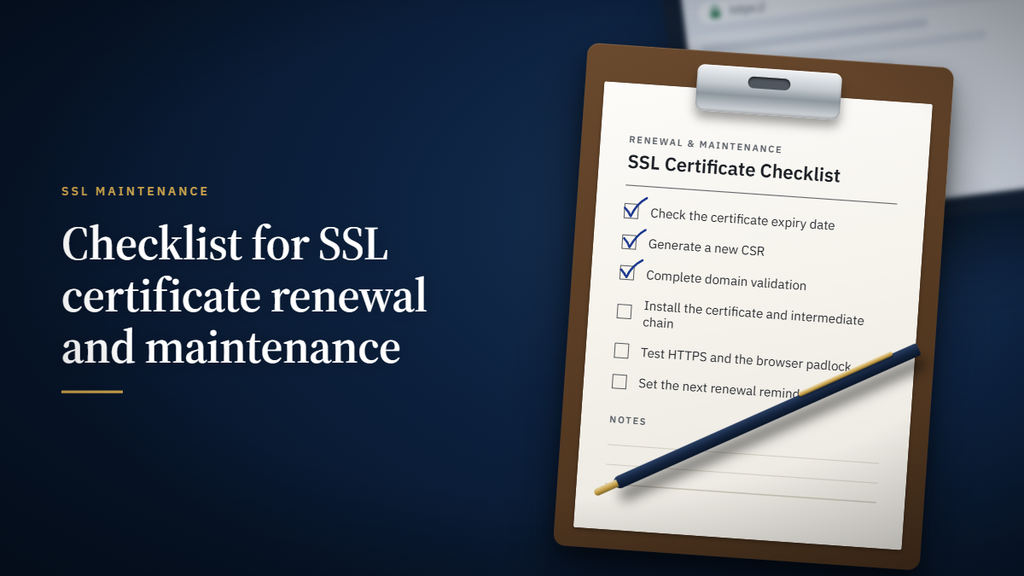
- Test and record – Confirm the padlock shows, run a quick scan and update your certificate list with the new expiry date.
Renewal, reissue or revoke: what’s the difference?
- Renewal gives you a new certificate for a new term once the current one nears expiry.
- Reissue replaces your certificate within its current term, for example if you lose your private key or change servers.
- Revocation cancels a certificate before it expires, usually because its private key has been exposed.
Manual or automated SSL certificate renewal?
Manual renewals work if you manage one or two certificates. However, as lifespans shrink, automation is fast becoming the norm.
Automated renewal typically uses ACME, a standard protocol that requests, validates and installs certificates without human input. Many hosts and major certificate authorities support it. If you manage several sites, automation saves time and removes the risk of human error.
Another easy win is to consolidate. A wildcard or multi-domain certificate can replace several single certificates, leaving fewer renewals to manage. FastSSLArena can advise on which approach, automated or consolidated, suits your setup best.
Common SSL certificate renewal mistakes
- Renewing but not installing: A renewed certificate does nothing until it’s installed on your server.
- Missing a server: If one server still runs the old certificate, visitors can still hit warnings.
- Leaving OV or EV renewals too late: Business validation can take days.
- Reusing old private keys: A new key at each renewal limits the damage if an old one is exposed.
- Relying on one person’s inbox: If renewal notices go to someone who has left, deadlines get missed. Use a shared address instead.
Let FastSSLArena do the heavy lifting
Shorter lifespans mean more renewals, more validation and more chances for something to go wrong. You don’t have to carry that load alone. FastSSLArena takes the pressure off at every stage, whether you run one site or many.
- One place for every certificate: See what you own and what’s due, so nothing slips through the cracks.
- Renewals in a few clicks: Renew quickly, without starting from scratch every time.
- No technical commands: Our built-in tool generates a fresh CSR and private key for each renewal.
- Validation without the chase: We guide you through domain and business checks, so renewals don’t stall.
- Support when it matters: Get help with installation, scans, reissues and choosing the right certificate as you grow.
- Discounted renewal pricing: Keep trusted brands like DigiCert, Sectigo, Thawte, GeoTrust and RapidSSL at competitive rates.
Doing it alone vs with FastSSLArena
| Doing it alone | With FastSSLArena | |
| Tracking expiry dates | Spreadsheets and calendar reminders | Every certificate in one view |
| Generating a CSR | Command-line tools | A few clicks |
| Validation | Working it out yourself | Step-by-step guidance |
| Installation issues | Searching forums for fixes | Support on hand |
| Pricing | Full retail renewal rates | Discounted renewal pricing |
Frequently asked questions about SSL certificate renewal
How often do I need to renew my SSL certificate?
It depends on your certificate’s lifespan. Since March 2026, the maximum validity is 200 days, and it will keep shrinking, so expect to renew more often.
Can I renew my SSL certificate early?
Yes. Renewing early is smart, especially for OV and EV certificates that need business validation.
Do I need a new CSR to renew?
It’s strongly recommended. A new CSR creates a fresh private key, which keeps your site more secure.
Will renewing my SSL certificate cause downtime?
No. If you install the new certificate before the old one expires, visitors won’t notice a thing.
Can FastSSLArena take SSL renewals off my plate?
Yes. FastSSLArena handles the heavy lifting, from ordering renewals and generating CSRs to guiding you through validation and installation. You stay in control, without the stress.
What is ACME?
ACME is a protocol that automates certificate requests, validation and installation, so renewals happen without manual work.
Stay secure, stay trusted and never get caught out by an expiry date again.
Hand the heavy lifting to FastSSLArena today.